Your coach emails come written and go out from your own Gmail with one tap.
ScoutBridge finds the programs that fit and writes the email to each coach, and you send each one from your own Gmail while you keep playing.
What is yours
Each email goes out from your Gmail in your name, and your film and queue live in the same portal.
Name
Your Gmail, your name
Each email goes out from your own Gmail address and is signed as you. We send from your Gmail. We can't read it.
From: Jordan Ellis (Gmail)
Film
Your film, in front of the right coaches
Add your highlight and game links once. ScoutBridge matches you to programs that fit your position and level, writes the email, and drafts the follow-up when a coach goes quiet.
Queue
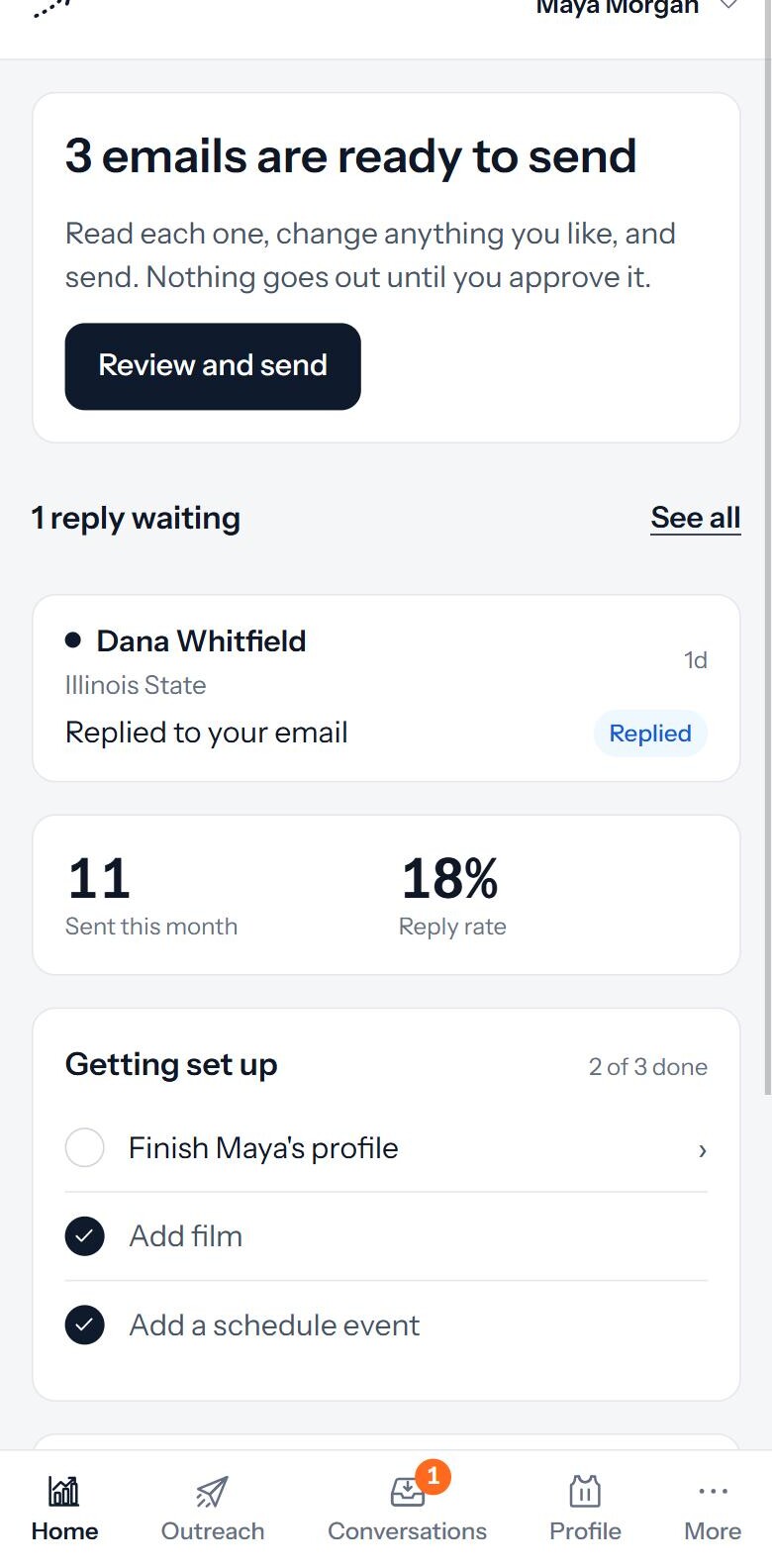
Your emails, ready to send
Open the portal and your list is already there. Tap send on each email, or tap Approve all. Replies show up in the same place.

What coaches ask for
Coaches decide fast from a few things. Keep these current and every draft carries them to the right programs.
- 01
Position, class year, height, and academics
The basics a coach files first.
- 02
Film they can open right away
Highlight and game links, no logins.
- 03
Your season and showcase schedule
So a coach can plan to watch.
- 04
Stats from your games
Your team coach can add and verify them. You can also scan a stat sheet from a photo.
Your job is small on purpose
Send what is in your queue, keep your information fresh, and answer coaches when they reach out. ScoutBridge does the research and the writing, so your part each week is short.
- Send the emails waiting in your queue
- Keep your film current when you get new clips
- Add schedule dates as they get set
- Answer when a coach writes back
Questions athletes ask
The questions athletes ask most before they get started.
Do I have to write emails to coaches?
No. ScoutBridge writes each email and drafts the follow-ups. You read them, change anything you like, and tap send. Or tap Approve all.
Do the emails come from me?
Yes. They go out from your own Gmail address and are signed as you. We send from your Gmail. We can't read it. Coach replies come back to ScoutBridge and show up in your portal, and your parent is notified.
What if a coach replies to me?
The reply shows up in your portal and your family is notified. You answer it yourself, or a helper you added can prepare the answer for you.
Can someone else send for me?
Yes. You or your parent can add a helper, such as a trainer, coach, or advisor. They prepare or send emails on your behalf. You decide what each helper can do and whether you approve each email first.
Sign up and open your first emails.
Sign up with your parent. Your list and emails are ready the first time you log in.